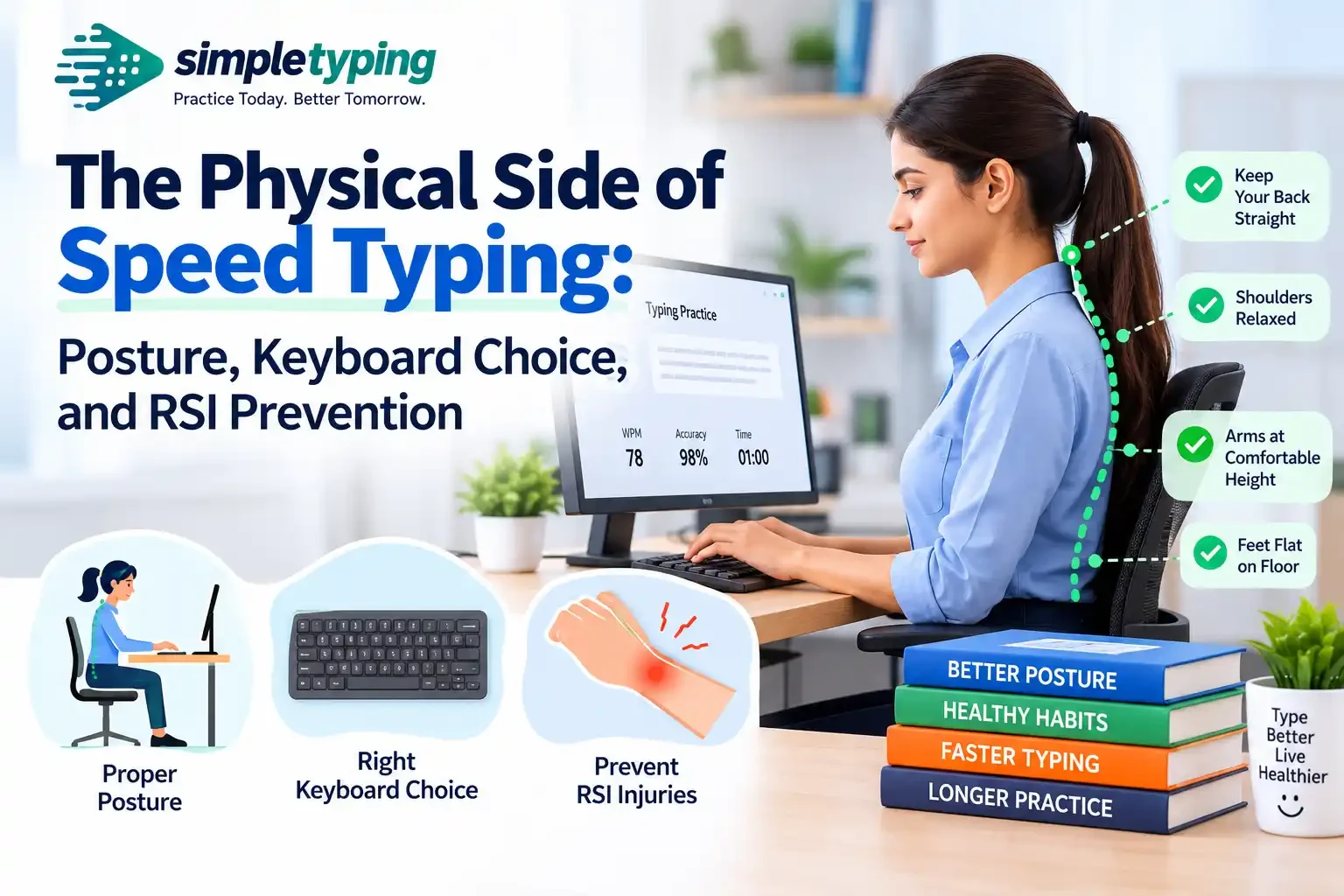
Somewhere around the third week of chasing a personal-best WPM score, most people notice something they did not expect — a dull ache at the base of the thumb, a tightness across the wrist after a long practice session, or fingers that feel stiff the next morning. Speed typing gets treated like a purely mental skill: reflexes, muscle memory, keyboard shortcuts. But every word per minute you add comes from real tendons moving through a real wrist, thousands of times a session. Nobody writes about that part. This article does — posture, keyboard hardware, desk height, and the early warning signs that separate a normal adjustment period from the start of a repetitive strain injury.
- Why speed typing is a physical activity, not just a mental one
- Posture fundamentals: how you sit changes how you type
- Wrist and hand position: the details that actually matter
- Keyboard choice: membrane vs mechanical vs ergonomic
- Desk and chair height: setting up your workstation
- Recognizing early signs of RSI before it becomes a problem
- Warm-ups, stretches, and micro-breaks that actually help
- Key takeaways
- Frequently asked questions
Why speed typing is a physical activity, not just a mental one
Typing at 60, 80, or 100+ WPM means your fingers are executing hundreds of small, fast, repeated movements every minute, for as long as the practice session lasts. That repetition is exactly the kind of load that causes overuse injuries in any activity — runners get shin splints, weightlifters get tendonitis, and typists get wrist and forearm strain. The difference is that typing does not feel like exercise, so people rarely warm up, rarely rest, and rarely notice bad form until it has been repeated tens of thousands of times.
Most speed-typing advice focuses on technique — finger placement, rhythm, minimizing backspaces. That is useful, but it assumes your body is a fixed, reliable input device that can be pushed indefinitely. It cannot. The faster you type and the longer you sit at it, the more your posture, your keyboard, and your desk setup start to matter as much as your typing method. Ignore the physical side long enough and speed gains stop being the story — pain management becomes the story instead.
Posture fundamentals: how you sit changes how you type
Good typing posture is not about sitting up straight and stiff. It is about keeping your joints in neutral, low-effort positions so your muscles are not fighting gravity or your own chair for an hour at a time. A few basics that matter more than people expect:
- Feet flat on the floor (or on a footrest), not tucked under the chair or dangling.
- Hips slightly higher than or level with your knees, with your back supported by the chair, not the desk.
- Shoulders relaxed and down, not hunched up toward your ears — a habit that creeps in during intense speed drills.
- Elbows bent close to 90 degrees, resting near your sides rather than reaching forward.
- Screen at eye level or slightly below, so you are not tilting your neck down or craning it up for long stretches.
The common failure pattern during speed practice is leaning forward toward the screen as concentration increases. It feels like focus; mechanically, it shifts weight onto your forearms and wrists, and that is where strain starts. If you catch yourself doing this mid-session, it is worth pausing and resetting rather than pushing through for a better score.
Wrist and hand position: the details that actually matter
This is the section most speed-typing guides skip entirely, and it is the one that determines whether fast typing stays comfortable or turns into a problem. The core principle is a neutral wrist — not bent up, not bent down, not angled sharply left or right.
Two habits cause most of the trouble:
- Wrist extension. Typing with your wrists cocked upward (common when a keyboard sits too high or a laptop is on a raised stand) puts constant tension on the tendons running through the wrist. Over a long session at speed, this is the single biggest contributor to strain.
- Resting on a hard edge. Pressing the underside of your wrist against a sharp desk edge or an unpadded wrist rest between bursts of typing compresses the carpal tunnel area. A slight gap between your palm and the desk, or a soft rest used only when pausing (not while actively typing), is safer.
The goal during active typing is for your hands to float slightly above the keyboard, wrists straight, fingers curved and relaxed — the same position touch-typing method teaches for finger placement, just extended to the whole hand. If you are still building that muscle memory, practicing on a structured layout through guided English typing practice makes it easier to reinforce good hand position at the same time as speed, instead of bolting posture fixes on afterward.
Keyboard choice: membrane vs mechanical vs ergonomic
The keyboard itself changes how much force your fingers use and how your hands are angled, and both affect strain risk over time. There is no single "best" keyboard for everyone — it depends on your budget, your hand size, and how many hours a day you actually type. Here is how the three common categories compare for someone doing regular speed practice:
| Keyboard type | Comfort for long sessions | Typical cost | Learning curve |
|---|---|---|---|
| Membrane (standard/laptop-style) | Moderate — softer feel but often requires more finger travel and bottoming-out force | Low (often already owned) | None — most people already type on this |
| Mechanical (flat, non-split) | Good — consistent, lighter actuation force reduces finger fatigue, but wrist angle is unchanged from a standard layout | Moderate to high | Low — feel changes slightly, key positions do not |
| Ergonomic / split | Best for wrist and shoulder alignment — angles the halves to match natural hand position and reduces wrist rotation | Moderate to high | Moderate — expect a temporary speed dip of one to two weeks while you adjust |
A cheap membrane keyboard is not automatically dangerous, and an expensive split ergonomic board is not a guarantee of pain-free typing — posture and desk setup still matter more than hardware. But if you already spend an hour or more a day on speed drills, the reduced actuation force of a mechanical board and the natural hand angle of a split ergonomic layout are two of the few upgrades with real evidence behind them for reducing strain over months of use.
Desk and chair height: setting up your workstation
Keyboard and posture advice only works if the furniture underneath it is set up correctly. The most common mismatch is a desk that is too high relative to the chair, which forces the shoulders up and the wrists into extension no matter how disciplined your hand position is. A quick way to check your own setup:
- Sit with your feet flat and knees at roughly 90 degrees — adjust chair height first, not desk height.
- Rest your hands on the keyboard with elbows at your sides. If your shoulders are shrugging up to reach the keys, the desk is too high, or the chair is too low.
- If your feet no longer reach the floor after raising the chair to fix the above, add a footrest rather than lowering the chair back down.
- Keep frequently used items (mouse, notebook) close enough that you are not repeatedly twisting or reaching, which adds unnecessary shoulder and wrist load between typing bursts.
None of this requires an expensive standing desk or a full ergonomic overhaul. A rolled towel under a mismatched desk edge, a stack of books under a monitor, or a cushion to raise a low chair solves most of the actual problem for free.
Recognizing early signs of RSI before it becomes a problem
Repetitive strain injury (RSI) is a broad term for pain, inflammation, or nerve irritation caused by repeated motion — and typing at speed for long stretches is a classic trigger. The important thing is that it is almost always gradual, which means there is a window where small changes prevent it from becoming a real injury. Watch for:
- Tingling or numbness in the thumb, index, or middle finger, especially at night — a common early sign of carpal tunnel irritation.
- A dull, persistent ache in the wrist or forearm that shows up after typing sessions and used to go away quickly but now lingers.
- Stiffness or reduced grip strength first thing in the morning.
- Sharp pain when bending the wrist back, or tenderness directly over the tendons on the top of the wrist.
A real-world example: Priya, a data-entry executive preparing for a government typing exam, was practicing speed drills for ninety minutes a day on a laptop propped on a stand, wrists cocked upward the entire time to reach the raised keyboard. Around week three she noticed tingling in her right thumb that did not go away between sessions. She swapped the laptop-on-a-stand setup for an external keyboard placed flat on the desk, lowered her chair slightly so her wrists stayed neutral, and added two 5-minute breaks per hour. The tingling resolved within about ten days, and her practice speed on graded passages through government exam typing practice kept climbing — the fix cost nothing but the external keyboard.
The pattern in Priya's case is common: the injury risk usually comes from one specific setup mistake (a bad wrist angle, a too-high desk) compounded by long uninterrupted sessions, not from typing itself being inherently harmful.
Warm-ups, stretches, and micro-breaks that actually help
Treat speed typing sessions the way you would a light workout — a short warm-up before, brief breaks during, and a stretch after. None of this needs more than a few minutes total:
- Before: Rotate your wrists slowly in both directions, 10 times each way. Make loose fists and open your hands wide, repeated 10 times.
- Every 20–30 minutes: Take a 30–60 second break — shake your hands out, roll your shoulders, and look away from the screen.
- Wrist extensor stretch: Extend one arm forward, palm down, and gently pull the fingers back toward you with the other hand. Hold 15–20 seconds per side.
- Wrist flexor stretch: Same position, palm up this time, gently pulling fingers back. Hold 15–20 seconds per side.
- After a long session: Interlace your fingers, turn your palms outward, and push your arms forward in a full stretch for 10–15 seconds.
These take less time than rereading your WPM history, and they are the single cheapest form of injury prevention available — far cheaper than an ergonomic keyboard, and just as effective when done consistently.
Key takeaways
- Speed typing is a repetitive physical activity — treat form and recovery with the same seriousness you give to WPM.
- Keep wrists neutral: not bent up, not resting hard on a sharp edge while actively typing.
- Fix chair height before desk height, and use a footrest if your feet stop reaching the floor.
- Mechanical keyboards reduce finger force; split ergonomic keyboards reduce wrist angle — both are worth it for heavy daily use.
- Tingling, numbness, or morning stiffness are early RSI warning signs — small setup changes now prevent bigger problems later.
- Short warm-ups and 30-second breaks every 20–30 minutes cost almost nothing and prevent most strain.
Frequently asked questions
Can typing too fast actually cause an injury?
Speed itself is not the direct cause — poor wrist position, a badly set-up desk, and long sessions without breaks are. Fast typing with good form and reasonable breaks is generally fine for most people; fast typing with a bent wrist for hours at a stretch is where problems start.
What is the single most important posture fix for speed typists?
Keeping the wrists neutral (straight, not bent upward) while actively typing. Most other posture issues cause discomfort over time; a consistently extended wrist is the fastest route to nerve irritation.
Do I need an expensive ergonomic keyboard to type fast safely?
No. A correctly positioned standard keyboard with good chair and desk height prevents most strain. An ergonomic or split keyboard is a helpful upgrade if you already type for long hours daily, but it does not replace correct setup.
Is a mechanical keyboard actually better for wrist health than a membrane one?
It can help, mainly because mechanical switches often need less force to actuate, which reduces cumulative finger and forearm effort over a long session. The wrist angle is unchanged unless you also switch to a split or angled layout.
How long should a speed typing practice session be before I take a break?
Roughly 20–30 minutes of continuous typing before a short break is a reasonable guideline for most people, with a longer break every hour or so.
What does early RSI actually feel like?
Commonly tingling or numbness in the thumb and first two fingers, a dull ache in the wrist or forearm after sessions, or stiffness in the morning. It usually starts mild and intermittent before becoming persistent.
Should I use a wrist rest while typing?
Use it to rest your wrists between bursts of typing, not while your fingers are actively moving across the keys — resting on it during active typing can compress the wrist and add pressure rather than relieve it.
Does chair height really matter that much for typing?
Yes — chair height determines elbow angle and shoulder position, which cascades down to wrist angle. Fixing the chair first, then the desk, then the keyboard position, is the correct order.
Can stretching actually prevent typing-related wrist pain?
Regular short stretches and breaks reduce the cumulative strain that leads to overuse injuries, and they are one of the lowest-cost, highest-value habits available to anyone who types heavily, including for speed practice or exam preparation.
Are laptop keyboards worse for speed typing than external keyboards?
Often yes, mainly because laptop screens and keyboards are fixed together, which usually forces either bad neck position or bad wrist position — you cannot fix both at once without an external keyboard, stand, or monitor.
Is this article medical advice?
No. This is general, widely known ergonomic guidance, not a medical diagnosis or treatment plan. If you have persistent pain, numbness, or tingling that does not improve with rest and setup changes, see a doctor or physiotherapist rather than relying on general articles like this one.
Where should a beginner start if they want to build speed without bad habits from day one?
Start with correct hand position and posture before chasing WPM numbers — structured lessons through online typing practice or, for Hindi typing, Hindi typing practice build good form from the start, which is far easier than correcting bad habits later.
Good speed comes from consistent, repeatable practice — and that only works long-term if your hands, wrists, and setup can keep up with it. Run a few timed sessions on SimpleTyping's typing test with your posture and keyboard position dialed in, and if you want to track your WPM and accuracy over time as you build both speed and good habits, create a free account to save your progress.








