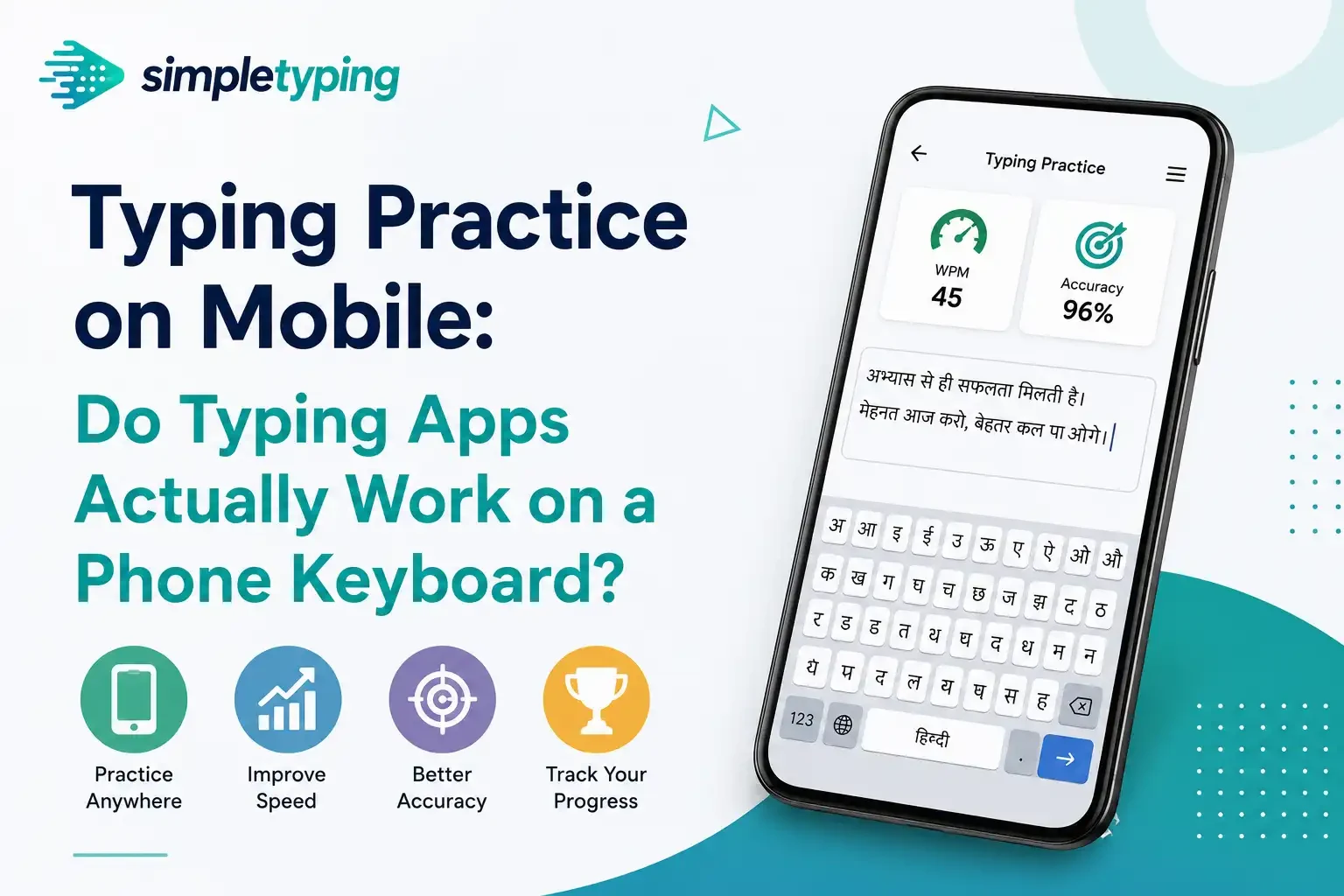
Search “typing app” on the Play Store and you’ll get a wall of results promising to double your speed in a week, most of them designed to be tapped through on a five-inch screen during a bus ride. That raises a question almost nobody answers honestly: does practicing on a phone’s glass keyboard actually make you a faster, more accurate typist on a real keyboard — the one you’ll use for an exam, a job, or a college assignment — or is it just a different skill that happens to share a name?
- What "typing app" actually means today
- Tap-typing vs swipe-typing: two different skills
- Does mobile practice build real muscle memory?
- Why your mobile WPM and desktop WPM aren’t the same number
- When mobile typing practice is actually useful
- When mobile practice is the wrong tool
- A real example: Rohan’s two weeks on the bus
- Mobile apps vs physical-keyboard practice, side by side
- Key takeaways
- Frequently asked questions
What "typing app" actually means today
A decade ago, a typing app meant desktop software you installed — think Typing Master or Rapid Typing — that assumed a full-size physical keyboard sitting under your fingers. Today, thanks to app store search volume, "typing app" mostly means something else: a phone or tablet application where you tap letters on a shrunk-down on-screen keyboard, or trace words with swipe gestures. These apps are genuinely popular. They’re free, they’re gamified, and they live on the one device most people already have in their pocket all day.
The problem is that the marketing around them borrows credibility from real touch-typing training without doing the same job. A desktop typing course teaches your fingers to find keys without looking, using consistent finger-to-key assignments you build through repetition. A mobile typing app teaches your thumbs (or one finger) to hit a moving, resizable, autocorrect-assisted target on glass. Both get called "typing practice." They are not the same activity.
Tap-typing vs swipe-typing: two different skills
Even within mobile typing apps, there are two distinct input styles, and they teach almost nothing to each other:
- Tap-typing — pressing individual letters one at a time, usually with thumbs in portrait mode or fingers in landscape. This is closer to hunt-and-peck than to touch typing, just on a smaller surface.
- Swipe-typing (gesture typing) — dragging a finger across a path connecting the letters of a word, relying heavily on a prediction engine to guess the intended word. Speed here often reflects the quality of the dictionary and autocorrect, not the typist’s finger control.
Neither of these resembles the finger-to-key mapping that touch typing depends on, where each of your eight home-row fingers owns a fixed zone of the keyboard and moves independently without your eyes checking in. A thumb sliding across glass to trace the shape of "because" is solving a completely different motor problem than a pinky finger reaching for Q while the index finger simultaneously reaches for R.
Does mobile practice build real muscle memory?
Muscle memory is specific to the exact movement pattern you repeat. That’s not a typing-app opinion, it’s basic motor learning — skills transfer well when the muscles, the range of motion, and the spatial layout are similar, and transfer poorly when they aren’t. A phone keyboard fails on all three counts against a physical keyboard:
- Different muscles. Physical typing uses independent finger extension and flexion across a fixed-width board. Mobile tapping mostly uses thumb opposition and wrist rotation, sometimes one index finger doing all the work.
- Different spatial layout. A physical keyboard has real, unchanging distances between keys that your hand memorizes over weeks. A phone keyboard resizes depending on orientation, app, and even the word being typed (autocorrect suggestion bars shift the layout).
- Different feedback. Physical keys have tactile travel and click resistance that your fingers learn to anticipate. Glass gives you nothing but a vibration or a beep after the fact.
None of this means mobile apps are useless — it means the skill they build is mobile-specific. If your actual goal is touch typing on a real keyboard, hours spent tapping on a phone screen are hours not spent building the specific motor pattern you need.
Why your mobile WPM and desktop WPM aren’t the same number
This is where a lot of confident-sounding claims fall apart. People post "I hit 60 WPM on my phone!" as if that’s a meaningful benchmark next to a desktop score, but the two numbers are measuring different things almost by accident:
- Swipe-typing WPM is inflated by autocomplete — the app is often finishing the word for you after two or three letters, so your "speed" partly reflects the prediction engine’s dictionary, not your typing.
- Tap-typing WPM is usually deflated compared to a trained touch typist’s desktop score, because two thumbs simply can’t parallelize the way ten fingers can.
- Error correction behaves differently — autocorrect silently fixes many mistakes before they’re counted, which flatters accuracy figures in a way a strict desktop test won’t.
- Screen size and orientation change the baseline test-to-test, so even two mobile scores from the same person aren’t always comparable to each other.
If you need a WPM number that means something — for a resume, a job application, or exam eligibility — it has to come from a real keyboard test under exam-like conditions, not a phone screen. That’s exactly why government exam typing requirements are specified for physical keyboards; see how those numbers are actually defined on the government exam typing practice page.
When mobile typing practice is actually useful
None of this makes mobile typing apps worthless. They’re a reasonable tool for a specific, narrower set of goals:
- Killing time productively. Fifteen minutes on a commute with no laptop in sight is fifteen minutes that would otherwise go to scrolling. A typing app at least keeps letter recognition and word-pattern familiarity warm.
- Casual reinforcement between real sessions. If you already do structured touch-typing practice on a desktop, a mobile app can be a light top-up on days you can’t get to a computer — not a replacement for those sessions.
- Vocabulary and word-shape familiarity for kids. Younger children sometimes benefit from simple, gamified letter-tracing apps as an on-ramp to reading and spelling, before they ever sit at a real keyboard. It’s a pre-skill, not the skill itself — when they’re ready for the real thing, structured typing practice for kids on an actual keyboard is what builds transferable habits.
- No computer access, genuinely. Some learners, especially in areas with limited desktop or laptop access, only have a phone. In that situation, mobile practice beats no practice — it just shouldn’t be mistaken for touch-typing training.
When mobile practice is the wrong tool
There are goals mobile typing apps simply cannot deliver on, no matter how many streaks or badges the app shows you:
- Building real touch-typing muscle memory. As covered above, the movement pattern doesn’t transfer. Weeks of mobile tapping won’t translate into faster, more accurate desktop typing.
- Exam preparation. Every government typing exam in India — SSC, CPCT, and state-level equivalents — is conducted on a physical keyboard under timed conditions. Practicing exclusively on a phone leaves you unprepared for the actual hand posture, key travel, and finger discipline the exam demands.
- Professional typing speed. If your job depends on data entry, transcription, or general keyboard fluency, mobile practice caps out well below what a trained touch typist does on a full keyboard.
- Hindi typing layouts. Kruti Dev, Mangal, and Remington all depend on precise physical key mapping that mobile keyboards rarely replicate faithfully. If Hindi typing is your goal, practice it on the layout you’ll actually be tested on — see Hindi typing practice for a version built around real keyboard input.
A real example: Rohan’s two weeks on the bus
Rohan, a second-year commerce student prepping for an SSC exam, spent two weeks tapping through a mobile typing app during his daily hour-long bus commute. The app reported his speed climbing from 18 to 34 WPM, and he felt genuinely encouraged — until his first mock test on an actual keyboard at a coaching center. He typed 21 WPM with visibly worse accuracy than his phone sessions suggested, and kept glancing down at the keys out of habit, something the phone app had never trained him out of because there was nothing to look away from in the first place.
Rohan’s mobile practice wasn’t wasted time exactly — it kept him engaged with typing daily, and that habit is worth something. But it had quietly convinced him he was closer to exam-ready than he was. Once he switched to 20 minutes a day of structured practice on a laptop, using proper finger placement from the start, his desktop score caught up to and then passed his old phone number within three weeks — and this time the number meant something.
Mobile apps vs physical-keyboard practice, side by side
| Factor | Mobile typing app | Physical keyboard practice |
|---|---|---|
| Skill transfer to real keyboard | Low — different muscles and layout | Direct — same device you’ll actually use |
| WPM comparability | Inflated or deflated by autocorrect and thumb limits | Consistent, comparable across tests and time |
| Exam readiness | Does not prepare you for exam keyboard conditions | Matches actual exam hardware and posture |
| Muscle memory built | Thumb/tap-specific, not touch-typing specific | Ten-finger, home-row muscle memory |
| Best use case | Casual time-filling, light reinforcement, no-PC situations | Serious skill building, exam prep, professional speed |
| Accessibility | Always in your pocket, zero setup | Needs a desktop or laptop with a keyboard |
Key takeaways
- A mobile typing app and a desktop touch-typing course teach genuinely different motor skills — one doesn’t substitute for the other.
- Tap-typing and swipe-typing WPM numbers are inflated or distorted by autocorrect and thumb limitations, so they’re not comparable to keyboard WPM.
- Mobile practice is a reasonable filler activity when you have no computer access, not a training plan for exam or professional-level speed.
- Exams, Hindi typing layouts, and job-level typing speed all require physical-keyboard practice specifically — there’s no shortcut through a phone screen.
- If you’ve been practicing on mobile and feel confident, test yourself on a real keyboard before you trust that confidence.
Frequently asked questions
Can I actually learn touch typing using a mobile typing app?
Not in the traditional sense. Touch typing depends on fixed finger-to-key zones and consistent spatial memory that a resizable, tap-based phone keyboard doesn’t provide. You can build general typing engagement and word familiarity on mobile, but the specific finger discipline of touch typing needs a physical keyboard.
Why is my WPM so different on my phone compared to a desktop test?
Mobile WPM is affected by autocorrect completing words for you, thumb-only input limiting parallel finger movement, and inconsistent keyboard sizing between sessions. Desktop WPM, measured on a stable physical keyboard, is a much more reliable and comparable number.
Is swipe-typing (gesture typing) good practice for typing speed?
It mostly measures how good the app’s word-prediction dictionary is, not your typing skill. Swipe-typing speed numbers look impressive but don’t reflect finger control or accuracy in the way a real typing test does.
Should I use a typing app on my phone at all?
Yes, if you treat it as casual practice for moments you have no computer access — a commute, a waiting room, a break. Just don’t rely on it as your primary method if your goal is exam prep or professional-level speed.
Will practicing on my phone hurt my desktop typing?
It won’t actively harm it, but it won’t build it either. The risk is false confidence — assuming your mobile-practiced speed will show up on a real keyboard when it hasn’t been trained there at all.
Are typing apps on tablets any better than on phones?
Slightly, if the tablet has a large enough on-screen keyboard or you attach a physical keyboard case. Without a physical keyboard attachment, the same tap/swipe limitations apply, just on a bigger piece of glass.
Can kids learn typing on a mobile app before moving to a real keyboard?
Simple letter-tracing or word-matching apps can build early letter recognition for young children, but once a child is ready to actually learn to type, structured practice on a physical keyboard is what builds transferable skill. Mobile is fine as an on-ramp, not a destination.
Do government exams like SSC or CPCT ever test typing on a phone?
No. These exams are conducted on physical keyboards under timed, proctored conditions. Practicing exclusively on mobile leaves you unprepared for the actual test environment, posture, and key feel.
Why do mobile typing apps show such fast speed improvement in a short time?
Much of the early "improvement" reflects getting used to the app’s autocorrect and word suggestions rather than genuine finger-speed gains. The curve often flattens quickly once you hit the ceiling of what thumb-typing can do.
Is it worth paying for a premium mobile typing app?
Generally no, if the goal is building real typing skill. Free browser-based practice on an actual keyboard delivers far more transferable skill per minute than a paid mobile app with extra gamification layered on top.
What’s the best way to test if my mobile practice has actually translated to real skill?
Sit down at a physical keyboard and take a proper timed test without looking at your hands. If your desktop score is noticeably lower than your phone score, that gap is the honest measure of how much actually transferred.
Should I switch entirely from mobile to desktop practice?
If your goal is exam prep, job-level speed, or genuine touch typing, yes — make desktop or laptop practice your primary method and let mobile be an occasional supplement, not the other way around.
If your phone-based practice has been quietly inflating your confidence, the fix is simple: open a browser on a real keyboard and test yourself honestly. SimpleTyping.in runs entirely in the browser, so you can jump straight into a proper typing test on your desktop or laptop, track your real WPM and accuracy, and build the finger-to-key muscle memory that actually transfers — then create a free account to save your progress and see whether your phone number was ever telling you the truth.








