{ "@context": "https://schema.org", "@type": "BreadcrumbList", "itemListElement": [ {"@type": "ListItem", "position": 1, "name": "Home", "item": "https://simpletyping.in/"}, {"@type": "ListItem", "position": 2, "name": "Blog", "item": "https://simpletyping.in/blog/"}, {"@type": "ListItem", "position": 3, "name": "What Is Hindi Typing and How Does It Actually Work?", "item": "https://simpletyping.in/blog/what-is-hindi-typing-explained/"} ] }
Somebody tells you to send a document in Hindi typing, you open a keyboard layout, and the text you type looks perfect on your screen — until you paste it into WhatsApp and it turns into a wall of broken squares and question marks. If that has ever happened to you, you already know the dirty secret of Hindi typing: the phrase covers at least three completely different technologies, and they are not interchangeable. Before you pick a layout or download a typing tool, it helps to actually understand what’s happening under the hood when you type in Devanagari — because the wrong choice here can cost you a government job application, not just an afternoon of frustration.
- What “Hindi typing” actually means
- The Devanagari script basics you need to know
- Legacy font-based typing: Kruti Dev and DevLys
- Unicode-based typing: Mangal and true Devanagari
- Why this distinction actually matters
- Phonetic and transliteration typing: type “namaste”, get “नमस्ते”
- A real example: Priya’s court-typist application
- Key takeaways
- Frequently asked questions
What “Hindi typing” actually means
When people say “Hindi typing,” they usually mean one of three unrelated things, and mixing them up is where almost every practical problem starts. The first is legacy font-based typing — layouts like Kruti Dev and DevLys that were built in the 1990s to work around a font limitation, and that still show up constantly in Indian government and legal documents. The second is Unicode-based typing — layouts like Mangal that produce genuine, standardized Devanagari text the way modern computing actually expects it. The third is phonetic or transliteration typing, where you type Hindi sounds using the English alphabet and software converts it to Devanagari on the fly.
All three produce Hindi text on your screen. All three are called “Hindi typing” by the people who use them. And all three behave completely differently the moment that text leaves the document you typed it in. That’s the whole story of this article — not which layout has better finger placement (we’ve covered that ground before), but what’s actually happening at the character-encoding level, and why it decides whether your text survives contact with the real world.
The Devanagari script basics you need to know
You don’t need a linguistics degree to type Hindi well, but a few facts about the script explain why Hindi typing is inherently more complex than English typing. Devanagari, the script used for Hindi, is not a simple one-symbol-per-sound alphabet like the Roman script. It’s an abugida: each consonant carries an inherent vowel sound unless you modify it, and consonants routinely combine into conjunct characters (called sanyuktakshar) that look like entirely new glyphs. For example, क् + ष combines into क्ष — a shape that doesn’t look like either component stacked side by side.
English typing maps one key to one letter, full stop. Devanagari typing has to handle:
- Consonants with an inherent “a” sound built in (क is already “ka”, not “k”)
- Matras — vowel signs that attach before, after, above, or below a consonant depending on the vowel
- Conjunct consonants that merge two or more letters into a single visual unit
- Nasalization marks, the visarga, and other diacritics that change pronunciation and meaning
This complexity is exactly why two different engineering solutions emerged for putting Devanagari on a QWERTY keyboard — and why they solved the problem in fundamentally incompatible ways.
Legacy font-based typing: Kruti Dev and DevLys
Here’s the part most tutorials skip: Kruti Dev and DevLys are not Hindi fonts in the way you think of a font. They’re a workaround. Before Unicode support was reliable on Indian computers — which was most of the 1990s and 2000s — there was no standard way to store Devanagari characters digitally. So typeface designers did something clever and, in hindsight, a little chaotic: they mapped Devanagari-looking glyphs onto the ASCII code points normally used for English letters.
When you type the letter “d” in a Kruti Dev document, the computer isn’t storing “the Devanagari character da.” It’s storing the plain-English letter “d,” and simply displaying it with a Devanagari-shaped glyph because that specific font redraws every ASCII letter as a Hindi character. It's a visual trick, not a data trick. This is why Kruti Dev text looks like gibberish English if you accidentally view it in Arial or Calibri — because at the data level, it genuinely is English text wearing a costume.
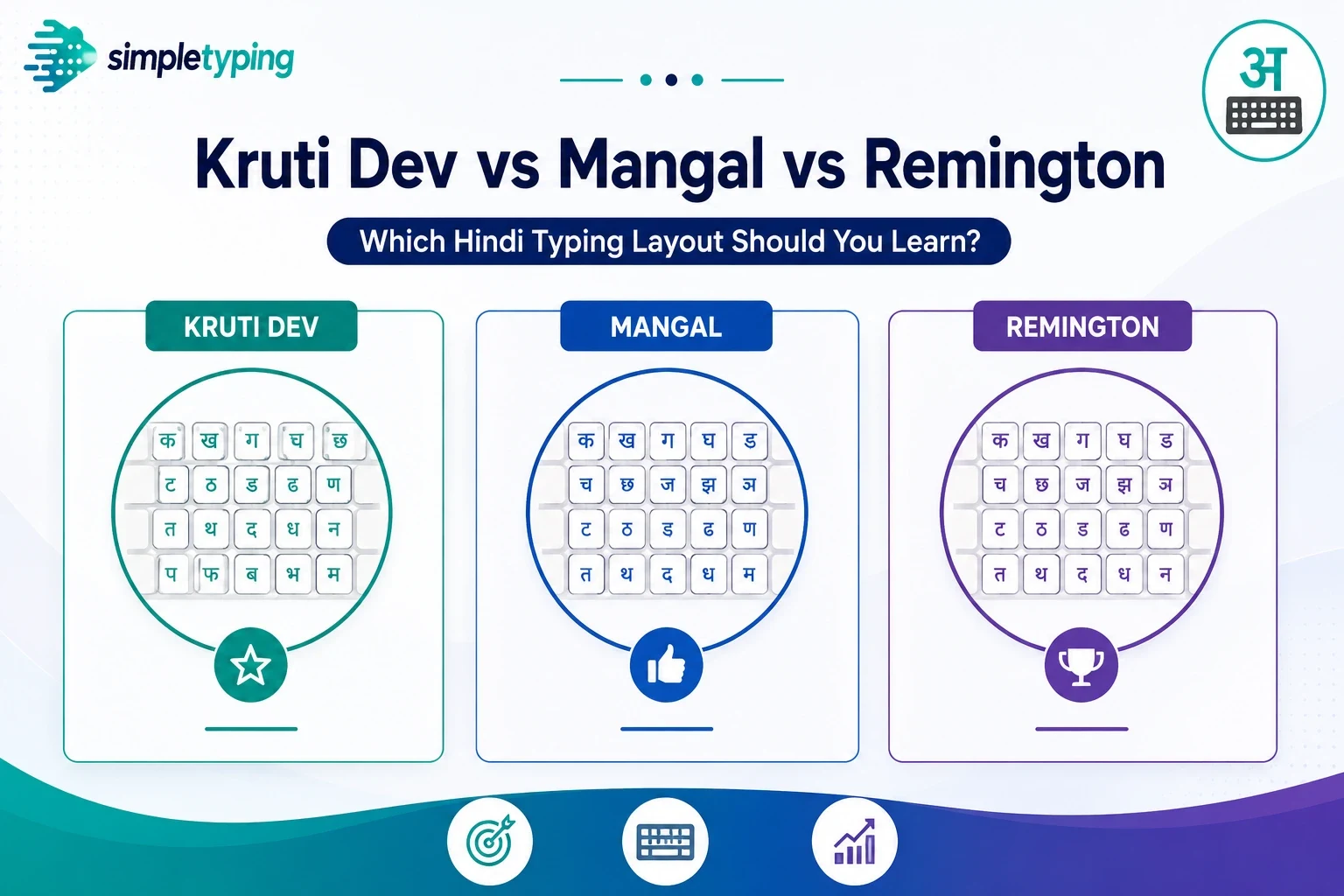
This matters enormously for typists, because government offices, courts, and older data-entry systems across India still run on Kruti Dev and DevLys. If your target is a government typing exam or a legal transcription job, you may be required to type in exactly this format, keystroke sequence and all — which is a big part of why we wrote a separate layout comparison covering how Kruti Dev, Mangal, and Remington differ purely as keyboard layouts once you’ve decided to learn one.
Unicode-based typing: Mangal and true Devanagari
Mangal works completely differently. It’s built on Unicode, the international standard that assigns every character in every major writing system a fixed, universal code point. In Unicode, the Devanagari character क isn’t a re-skinned English letter — it has its own dedicated code point (U+0915) that means “this is the Devanagari letter ka” on every device, every operating system, and every piece of software on earth, regardless of which font is currently displaying it.
Type Hindi using Mangal, or any other Unicode-compliant Hindi input method, and the underlying data stored is actual Hindi — not English text disguised as Hindi. Change the font from Mangal to Noto Sans Devanagari or any other Unicode Hindi font, and the text still reads correctly, because the font is just choosing how to draw characters that are already correctly identified as Devanagari. This is the modern, correct, future-proof way to store Hindi text, and it’s what practically every website, app, search engine, and government digital form now expects.
Why this distinction actually matters
This isn’t an academic distinction — it has direct, sometimes painful consequences:
- Copy-paste breaks. Paste Kruti Dev text into a Unicode-expecting field (a website form, a WhatsApp message, an email) without the matching font installed, and you get a scramble of unrelated symbols.
- Search doesn’t work. Google, and most databases, index text by its actual character codes. A Kruti Dev document is invisible to Hindi text search because, to the search engine, it isn’t Hindi at all — it’s English letters.
- Government forms increasingly reject font-based text. Digital India-era portals, e-governance forms, and modern online submissions are built around Unicode. Font-based text pasted into these fields either fails validation or renders as garbage.
- Screen readers and accessibility tools fail on font-based text, because they read the underlying character (English letters), not the displayed glyph.
- Sorting and processing breaks. Alphabetizing a list of Kruti Dev names sorts them by their hidden English letters, not by how they actually read in Hindi.
The practical rule: if the text needs to travel anywhere outside the exact font-locked document it was created in — the web, a modern form, another person’s phone — Unicode is what actually works. Font-based typing survives purely because specific institutions haven’t modernized their systems yet, not because it’s technically sound.
Phonetic and transliteration typing: type “namaste”, get “नमस्ते”
The third approach sidesteps the keyboard-mapping problem entirely. Phonetic (transliteration) typing lets you type Hindi words using their English sound-alike spelling on a standard QWERTY layout, and software converts it into correctly encoded Unicode Devanagari as you go. Type “namaste” and you get नमस्ते. Type “typing” and, depending on the tool’s dictionary, you might get टाइपिंग. Google’s Input Tools and most modern smartphone keyboards default to this method because it requires zero memorization — you already know where the English letters are.
The tradeoff is speed and precision at scale. Phonetic typing depends on the software guessing correctly from ambiguous English spelling, and Hindi has sounds and conjuncts that don’t map cleanly onto 26 Roman letters. For casual messages, social media, and search queries, it’s fast and forgiving. For high-volume, high-accuracy professional typing — court transcripts, government data entry, timed typing tests — dedicated keyboard layouts like Mangal or Kruti Dev consistently outperform phonetic input because every keystroke maps to one predictable output, with no autocorrect-style guessing involved.
A real example: Priya’s court-typist application
Priya, a graduate from Lucknow, applied for a data-entry operator post that listed “Hindi typing speed: 25 WPM” as a requirement. She had been using her phone’s Google phonetic keyboard for years and assumed she was set. At the test center, the exam software was configured for Kruti Dev — a layout she had never touched. Her phonetic fluency counted for nothing because the keystroke sequence, not the sound, is what Kruti Dev cares about; she had to learn an entirely new finger-to-glyph mapping from scratch.
The lesson isn’t that phonetic typing is bad — it’s that “I can type Hindi” means different things depending on which of the three systems is actually being tested. Before you commit practice hours to any one method, check exactly what the exam, job, or software you’re targeting actually requires. Government exam notifications almost always specify the layout; if you’re preparing for one, our exam typing practice section is built around those exact real-world formats rather than generic drills.
Font-based vs Unicode vs phonetic: side by side
Here’s the comparison that actually matters when you’re deciding what to learn:
| Aspect | Font-based (Kruti Dev, DevLys) | Unicode (Mangal) | Phonetic / transliteration |
|---|---|---|---|
| What’s actually stored | English ASCII characters, redrawn as Devanagari glyphs | True Devanagari Unicode code points | True Devanagari Unicode code points |
| Copy-paste across apps | Breaks without the exact matching font | Works everywhere | Works everywhere |
| Searchable as Hindi text | No | Yes | Yes |
| Learning curve | Steep — memorize a non-intuitive keymap | Steep — memorize a different keymap | Minimal — type sounds you already know |
| Speed ceiling for professionals | Very high, industry-standard in legal/government roles | Very high, standard for modern digital work | Moderate — limited by autocorrect guesses |
| Where it’s still required | Many older government and court typing exams | Modern government portals, most typing tests | Casual messaging, search, everyday use |
Key takeaways
- “Hindi typing” is an umbrella term for three unrelated technologies: font-based (Kruti Dev, DevLys), Unicode-based (Mangal), and phonetic/transliteration typing.
- Font-based typing stores plain English characters redrawn as Devanagari glyphs by a special font — it isn’t real Hindi data, and it breaks when copied outside that exact font.
- Unicode typing stores genuine, universal Devanagari characters that work correctly across any app, device, or search engine.
- Phonetic typing is the easiest to start with but the least precise for high-speed professional or exam-level work.
- Always check which system a specific exam, job, or software actually expects before you invest practice time — the three are not interchangeable skills.
- Once you know which category you need, comparing specific layouts (like Kruti Dev, Mangal, and Remington head-to-head) is the logical next step.
Frequently asked questions
Is Kruti Dev the same as Hindi Unicode?
No. Kruti Dev stores plain English ASCII characters and relies on a special font to display them as Devanagari glyphs. Hindi Unicode stores genuine Devanagari character codes that display correctly in any Unicode-compatible font, on any device.
Why does my Kruti Dev text turn into gibberish when I paste it elsewhere?
Because the text is technically English letters, not Hindi characters. It only looks like Hindi because the Kruti Dev font redraws those letters as Devanagari shapes. Paste it somewhere without that exact font applied, and you see the raw English underneath, which often looks like symbols and broken characters.
Which is better to learn: Kruti Dev or Mangal?
It depends entirely on what you need it for. Many older government and legal typing exams in India still require Kruti Dev specifically, while most modern digital systems, websites, and newer exams expect Unicode-based Mangal typing. Check the exact requirement before choosing.
What is phonetic Hindi typing?
It’s a method where you type Hindi words using their English sound-alike spelling on a standard QWERTY keyboard, and software automatically converts what you type into correct Devanagari Unicode text. Typing “namaste” produces “नमस्ते.”
Can I use phonetic typing for a government typing exam?
Usually not for the actual test. Most government and court Hindi typing exams specify a fixed layout, typically Kruti Dev or Mangal, and score you on exact keystrokes rather than accepting phonetic auto-conversion.
Does Unicode Hindi typing work on mobile phones?
Yes. Modern smartphone keyboards default to Unicode output, whether you’re using a Devanagari keyboard layout or a phonetic input method, so the text you produce is standard, searchable Hindi text.
Why do government offices still use Kruti Dev instead of Unicode?
Mostly legacy inertia. Kruti Dev became the de facto standard in Indian government and legal offices in the 1990s and 2000s, long before Unicode support was reliable, and huge volumes of existing documents, templates, and trained staff make switching slow and costly.
Is Devanagari the same script for Hindi, Marathi, and Sanskrit?
Yes, all three languages are commonly written in the Devanagari script, though vocabulary and grammar differ. The typing concepts covered here — font-based versus Unicode versus phonetic input — apply the same way across all Devanagari-script languages.
How do I know if a document is font-based or Unicode Hindi text?
Try selecting the text and changing its font to a plain English font like Arial. If it turns into readable-looking English letters and numbers, it was font-based. If it still displays as Hindi (possibly with a different Devanagari font style), it’s genuine Unicode text.
What are conjunct consonants and why do they make Hindi typing harder?
Conjunct consonants (sanyuktakshar) form when two or more consonants combine into a single new glyph, like क् + ष becoming क्ष. Keyboard layouts have to account for these combinations, which is part of why Hindi typing layouts are more complex to learn than English ones.
Where can I practice Hindi typing correctly?
Practicing with real Unicode-based lessons and timed passages is the most reliable way to build genuine, transferable speed. You can start directly on our Hindi typing practice page, which tracks your speed and accuracy as you go.
Do I need to learn all three typing methods?
No. Most people only need one, depending on their goal: phonetic typing is enough for casual daily use, while a dedicated layout like Kruti Dev or Mangal is worth learning specifically if a job or exam requires it.
{ "@context": "https://schema.org", "@type": "FAQPage", "mainEntity": [ {"@type": "Question", "name": "Is Kruti Dev the same as Hindi Unicode?", "acceptedAnswer": {"@type": "Answer", "text": "No. Kruti Dev stores plain English ASCII characters and relies on a special font to display them as Devanagari glyphs. Hindi Unicode stores genuine Devanagari character codes that display correctly in any Unicode-compatible font, on any device."}}, {"@type": "Question", "name": "Why does my Kruti Dev text turn into gibberish when I paste it elsewhere?", "acceptedAnswer": {"@type": "Answer", "text": "Because the text is technically English letters, not Hindi characters. It only looks like Hindi because the Kruti Dev font redraws those letters as Devanagari shapes. Paste it somewhere without that exact font applied, and you see the raw English underneath, which often looks like symbols and broken characters."}}, {"@type": "Question", "name": "Which is better to learn: Kruti Dev or Mangal?", "acceptedAnswer": {"@type": "Answer", "text": "It depends entirely on what you need it for. Many older government and legal typing exams in India still require Kruti Dev specifically, while most modern digital systems, websites, and newer exams expect Unicode-based Mangal typing. Check the exact requirement before choosing."}}, {"@type": "Question", "name": "What is phonetic Hindi typing?", "acceptedAnswer": {"@type": "Answer", "text": "It is a method where you type Hindi words using their English sound-alike spelling on a standard QWERTY keyboard, and software automatically converts what you type into correct Devanagari Unicode text. Typing namaste produces नमस्ते."}}, {"@type": "Question", "name": "Can I use phonetic typing for a government typing exam?", "acceptedAnswer": {"@type": "Answer", "text": "Usually not for the actual test. Most government and court Hindi typing exams specify a fixed layout, typically Kruti Dev or Mangal, and score you on exact keystrokes rather than accepting phonetic auto-conversion."}}, {"@type": "Question", "name": "Does Unicode Hindi typing work on mobile phones?", "acceptedAnswer": {"@type": "Answer", "text": "Yes. Modern smartphone keyboards default to Unicode output, whether you are using a Devanagari keyboard layout or a phonetic input method, so the text you produce is standard, searchable Hindi text."}}, {"@type": "Question", "name": "Why do government offices still use Kruti Dev instead of Unicode?", "acceptedAnswer": {"@type": "Answer", "text": "Mostly legacy inertia. Kruti Dev became the de facto standard in Indian government and legal offices in the 1990s and 2000s, long before Unicode support was reliable, and huge volumes of existing documents, templates, and trained staff make switching slow and costly."}}, {"@type": "Question", "name": "Is Devanagari the same script for Hindi, Marathi, and Sanskrit?", "acceptedAnswer": {"@type": "Answer", "text": "Yes, all three languages are commonly written in the Devanagari script, though vocabulary and grammar differ. The typing concepts covered here, font-based versus Unicode versus phonetic input, apply the same way across all Devanagari-script languages."}}, {"@type": "Question", "name": "How do I know if a document is font-based or Unicode Hindi text?", "acceptedAnswer": {"@type": "Answer", "text": "Try selecting the text and changing its font to a plain English font like Arial. If it turns into readable-looking English letters and numbers, it was font-based. If it still displays as Hindi, possibly with a different Devanagari font style, it is genuine Unicode text."}}, {"@type": "Question", "name": "What are conjunct consonants and why do they make Hindi typing harder?", "acceptedAnswer": {"@type": "Answer", "text": "Conjunct consonants (sanyuktakshar) form when two or more consonants combine into a single new glyph, like ka plus virama plus sha becoming ksha. Keyboard layouts have to account for these combinations, which is part of why Hindi typing layouts are more complex to learn than English ones."}}, {"@type": "Question", "name": "Where can I practice Hindi typing correctly?", "acceptedAnswer": {"@type": "Answer", "text": "Practicing with real Unicode-based lessons and timed passages is the most reliable way to build genuine, transferable speed. You can start directly on the Hindi typing practice page, which tracks your speed and accuracy as you go."}}, {"@type": "Question", "name": "Do I need to learn all three typing methods?", "acceptedAnswer": {"@type": "Answer", "text": "No. Most people only need one, depending on their goal: phonetic typing is enough for casual daily use, while a dedicated layout like Kruti Dev or Mangal is worth learning specifically if a job or exam requires it."}} ] }
If you now know which kind of Hindi typing you actually need, the fastest way to build real speed is to practice it directly rather than guessing from tutorials. Head over to our Hindi typing test to check your current Unicode typing speed, or explore government exam typing practice if you’re preparing for a Kruti Dev-based test. Either way, create a free account to track your progress and pull a certificate once your numbers are exam-ready.